Your concert camera roll, solved

Every show,
saved.

SideStage finds the concert photos and videos already on your phone and sorts them by show, each one tagged with the artist, the venue and the date.

Free on the App Store for iPhone.
SideStage profile showing 41 shows, 175 photos and 96 videos sorted by concert
276,004concerts in the database
47,894venues recognized
38,358artists covered
1 switchto find your past shows
How it works

Flip one switch.
Get every show back.

No albums to build, no tagging, no scrolling through 2,000 photos trying to find the encore.

01

Turn on Camera Roll Sync

One switch on your profile. SideStage asks for access to your photos and starts looking for concerts.

02

We find your shows

SideStage compares when and where each photo and video was taken with our concert database and works out which show you were at.

03

Pick the ones to keep

You see every show it found. Choose the ones you want, tap Add, and each concert becomes a tile with everything you shot that night.

Show night

Only photos and videos taken at a show are matched. Everything else on your phone is left alone.

Live Videos

Watch the show from the crowd.

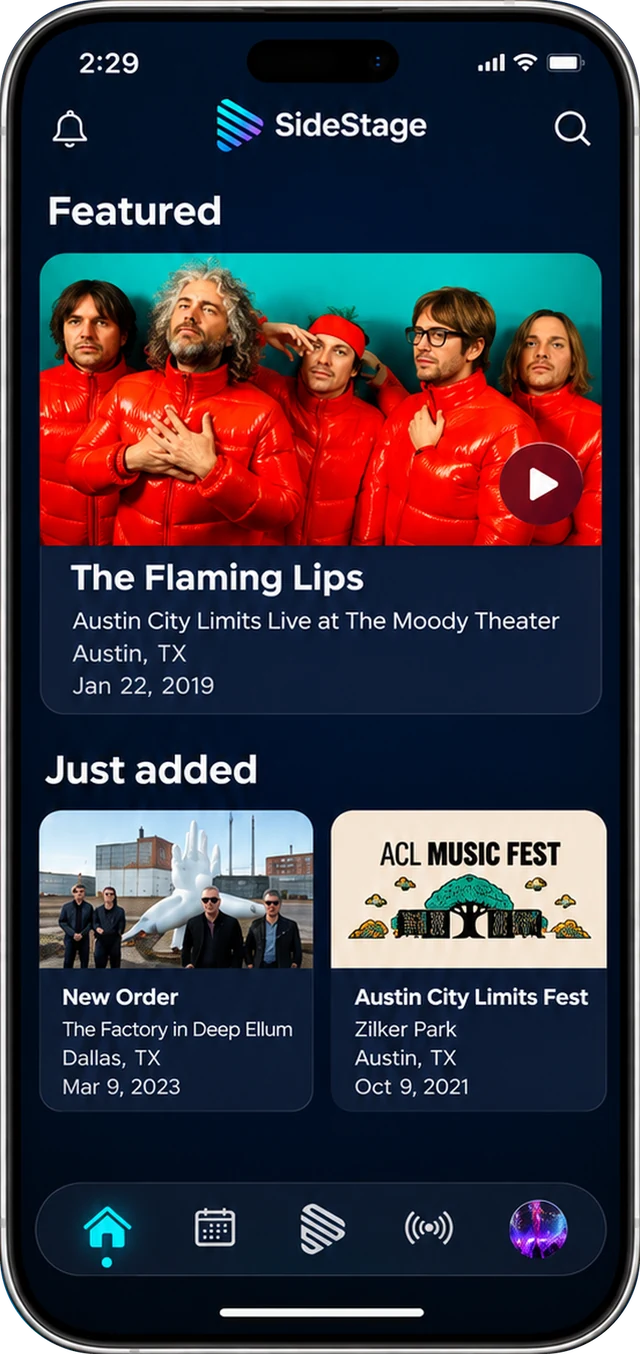
The home screen is concert video shot by fans. Find a show by artist, venue or city and watch it the way the people in the room saw it.

  • Featured shows and the newest uploads
  • More than one angle when several fans filmed the same song
  • Share your own shows whenever you want to
Home screen with a featured concert video and recently added shows
Upcoming Concerts

Find your next show.

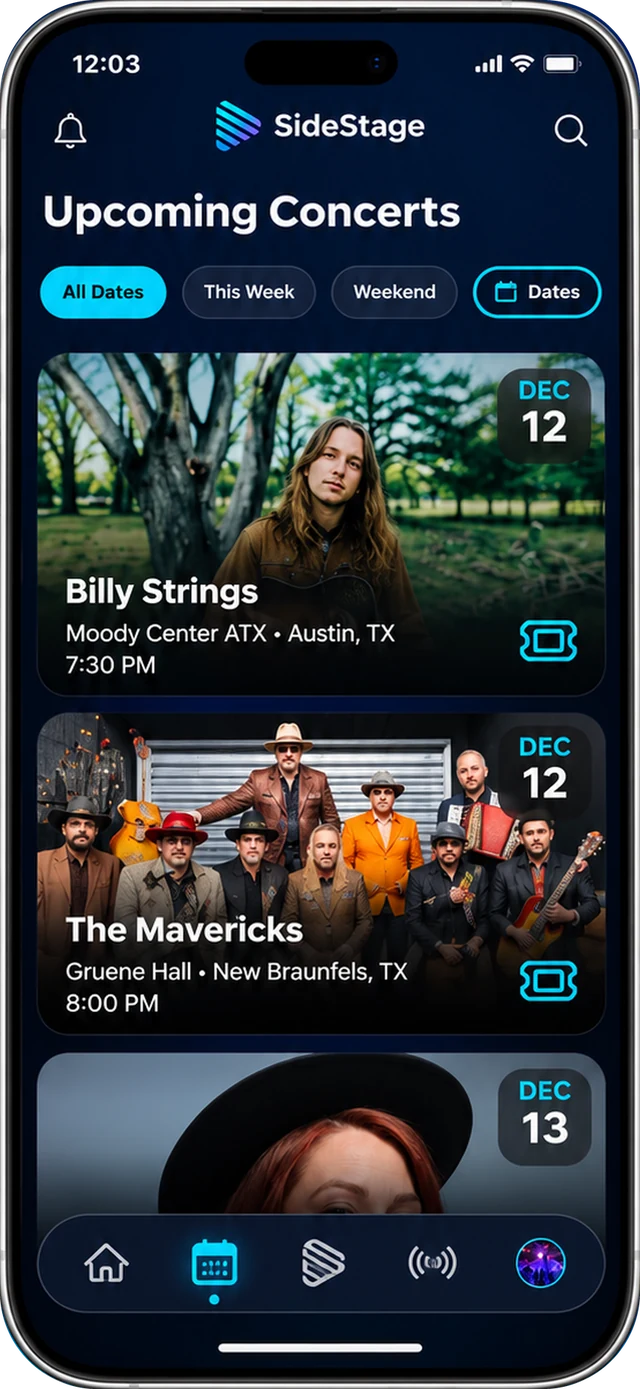
Browse concerts near you by date and see who is playing where.

  • Filter by this week, this weekend or any dates
  • More than 50,000 upcoming shows listed
  • Tickets are one tap from the listing
List of upcoming concerts with dates, venues and ticket buttons
Around the world

Live music everywhere, tonight.

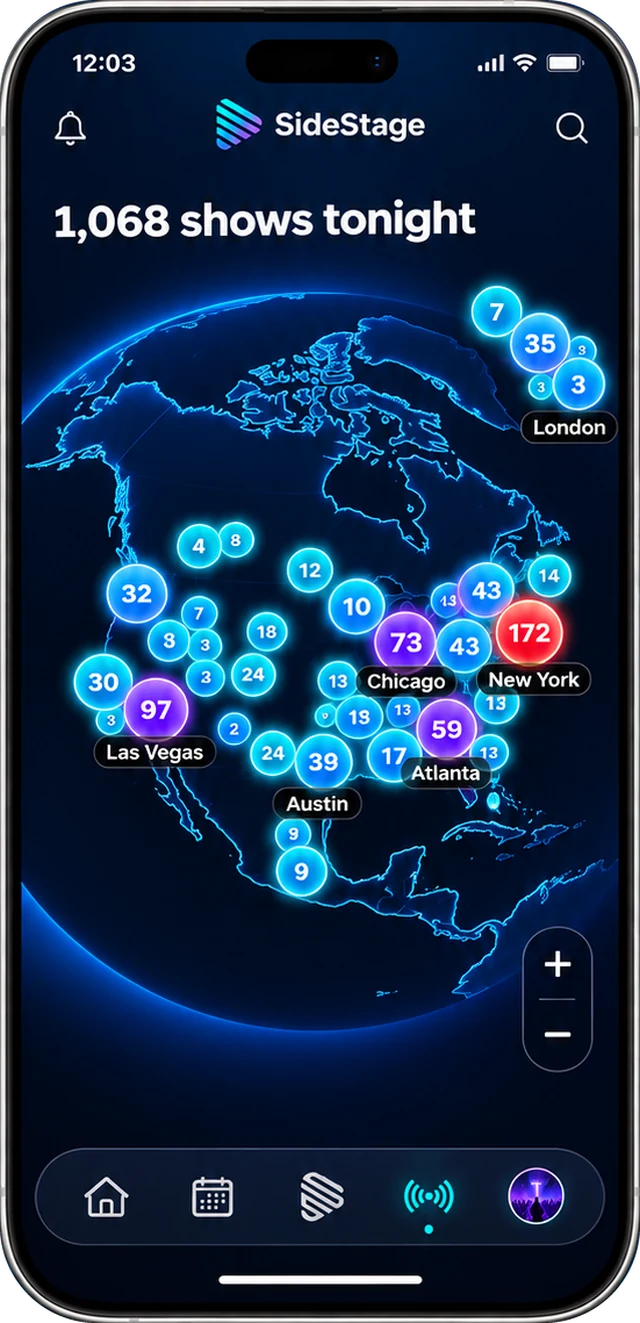
Spin the globe to see how many shows are on tonight in each city, then tap in to see who is playing.

  • Shows tonight, city by city
  • Zoom from the whole planet down to one city
  • Watch fan videos from shows in other countries
Globe showing the number of concerts happening tonight in cities around the world
And the details fans care about

More than a folder of photos.

The setlist, attached

When a setlist is available for your show, it sits right next to your videos, so you know which song that blurry, perfect clip was.

Opening Lights
Saltwater Radio
Glass Hearts
ENCORE
Harbor Song

Badges

Earn badges on your profile as your list of shows grows.

1
10
25
50

Private or public

Keep a show to yourself or make it public with one switch. You can change your mind anytime.

On the web too

Public shows also play at gosidestage.com, with a page for every band, show and song.

Original quality

Videos upload as you shot them, not as a squeezed-down copy.

4K

playback when your phone recorded it that way.

Privacy by design

Your camera roll stays yours.

SideStage only takes what you shot at a show, and only the shows you choose.

Only the show

Only photos and videos taken at a venue around showtime are matched. The rest of your camera roll is left alone.

You choose, and it starts private

Nothing uploads until you pick the shows to add, and every show is private until you make it public.

Delete anytime

Remove a photo, a show, or your whole account and everything in it, right from the app.

FAQ

Questions, answered.

How does SideStage find my show photos?+

We keep a database of concerts and their venues. With your permission, SideStage looks at when and where your photos and videos were taken and matches the ones shot at a venue around showtime. You choose which shows to add before anything uploads.

Does it upload my whole camera roll?+

No. Only photos and videos matched to a show you chose to add are uploaded. Everything else on your phone is left alone.

Who can see my photos and videos?+

Only you. Every show starts private. If you make a show public, its videos can be watched in the app and at gosidestage.com, and you can switch it back to private whenever you like.

What about shows from years ago?+

Those are exactly what Camera Roll Sync is for. If the photos and videos are still on your phone and have a time and location, SideStage can match them to the concert.

Do I need to keep the app open while it uploads?+

For now, yes. Keep SideStage open while a big sync uploads. The screen stays awake so it can finish, and Wi-Fi is best for a large library. Uploads that carry on in the background are coming in an update.

What if SideStage misses a show?+

Add it by hand. Pick the artist, choose your photos and videos, and the show joins your list.

Is it free?+

Yes. SideStage is free to download and use.

Android?+

iPhone first. Android is on the list.

How do I get help?+

Email support@gosidestage.com or visit the support page.

Your shows are already
on your phone.

Download SideStage and get them back, sorted by night.